
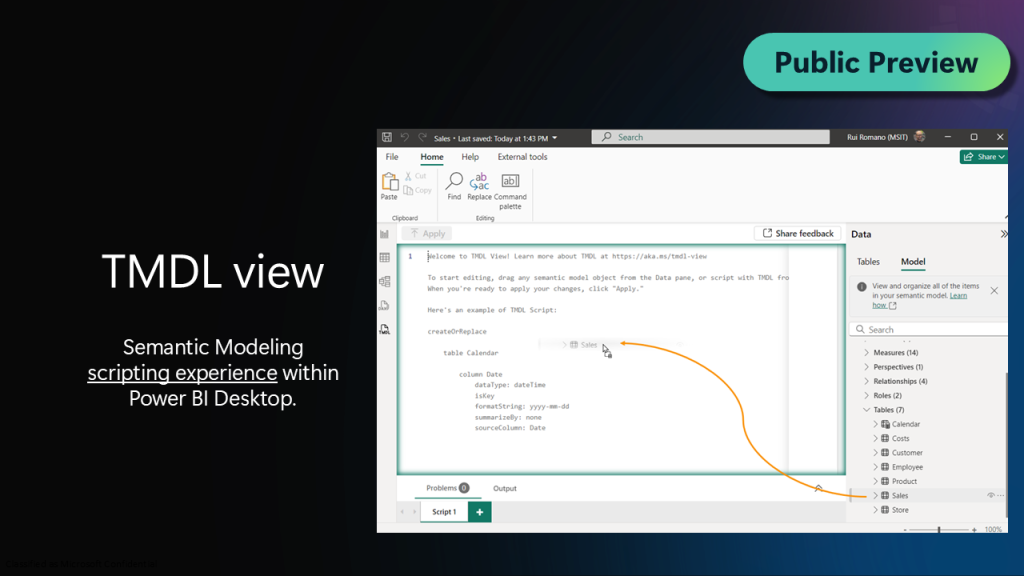
Power BI continues to empower users with cutting-edge features that enhance data analysis and visualization capabilities. One of the most exciting additions to Power BI Desktop is the introduction of the TMDL (Tabular Model Definition Language) view, now available in preview. This feature promises to revolutionize the way developers and data professionals interact with Power BI models. Let’s explore the TMDL view, its benefits, and how it can streamline your workflow.
What is TMDL?
Tabular Model Definition Language (TMDL) is a declarative language that provides a text-based representation of tabular models in Power BI. By using TMDL, developers can define, modify, and manage Power BI datasets in a structured and human-readable format. This feature brings a new level of transparency and flexibility to model development and management.
Key Features of the TMDL View
1. Text-Based Model Representation
The TMDL view enables users to visualize the entire Power BI model as a text file. This is particularly useful for developers who are accustomed to working with code-based representations of data models.
2. Version Control Integration
With TMDL, integrating Power BI models into version control systems like Git becomes seamless. Changes to the model can be tracked, reviewed, and managed effectively, fostering collaboration among teams.
3. Simplified Model Editing
The TMDL view allows users to directly edit the text-based representation of their models. This can significantly reduce the time spent navigating the graphical interface and provide a more efficient way to implement bulk changes.
4. Enhanced Collaboration
By leveraging the TMDL view, teams can adopt a more developer-friendly approach to model management. Code reviews, pull requests, and collaborative editing become easier to implement, promoting a unified development process.
How to Enable the TMDL View in Power BI Desktop
To explore the TMDL view in Power BI Desktop, follow these steps:
- Update Power BI Desktop: Ensure you are using the latest version of Power BI Desktop to access the preview features.
- Enable the Preview Feature:
- Go to
File>Options and Settings>Options. - Navigate to the
Preview Featuressection. - Check the box for TMDL View and restart Power BI Desktop.
- Go to
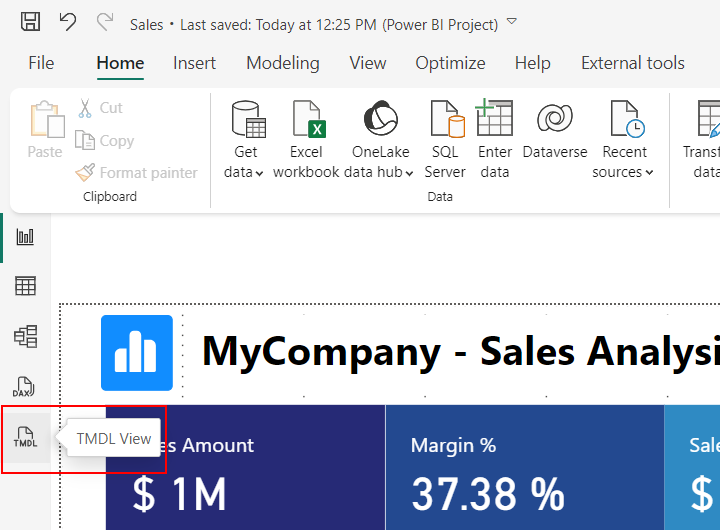
- Access the TMDL View: Once enabled, open your Power BI model and switch to the TMDL view from the model options.
Benefits of the TMDL View
1. Improved Productivity
Developers can save time by using text-based editing to make precise adjustments to models, eliminating the need for repetitive manual updates in the graphical interface.
2. Greater Transparency
The text-based representation of models allows for better understanding and documentation of the dataset structure, enhancing knowledge sharing within teams.
3. Robust Governance
Version control and collaborative editing make it easier to manage changes and maintain a consistent development workflow, reducing the risk of errors.
4. Enhanced Scalability
As organizations work with increasingly complex datasets, TMDL provides a scalable solution for managing and optimizing large Power BI models.
Use Cases for TMDL
- Enterprise-Scale Models: Simplify the management of large, complex models by using TMDL for structured editing and documentation.
- Development Collaboration: Enable teams of developers to collaborate on model design and updates more effectively.
- Audit and Governance: Maintain a clear history of changes to datasets for compliance and audit purposes.
Final Thoughts
For expert assistance with Power BI implementation, optimization, and leveraging advanced features like TMDL, explore ShanVri’s Power BI services. Our team of experts is dedicated to helping you unlock the full potential of your data.
The TMDL view in Power BI Desktop is a game-changer for developers and data professionals. By bridging the gap between traditional coding environments and graphical user interfaces, TMDL offers a powerful new way to manage and optimize Power BI models. As this feature evolves, it is set to become an indispensable tool for organizations seeking to streamline their data workflows.
Don’t miss the opportunity to explore this innovative feature—enable the TMDL view in Power BI Desktop today and take your data modeling to the next level.
Keywords
- Power BI Desktop
- TMDL view
- Tabular Model Definition Language
- Power BI preview features
- Power BI datasets
- Version control in Power BI
- Collaborative model development
- Data governance
- Power BI productivity
Hashtags
#PowerBI #DataModeling #TMDL #BusinessIntelligence #DataVisualization #PowerBIDesktop #DataAnalytics #VersionControl #DataGovernance